
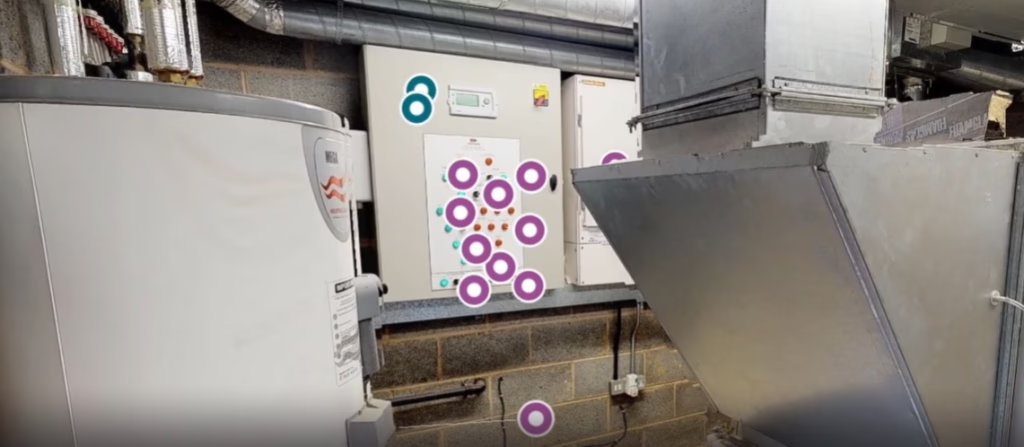
A Facilities Management digital twin is a detailed digital representation of a physical building that allows teams to remotely explore spaces, locate assets, take measurements and access building information.
Instead of relying on disconnected photographs, spreadsheets, floorplans and files, Facilities Managers can access building information within the context of the actual property.
Explore buildings remotely. Locate assets. Access documents. Support contractors. Manage multiple sites.
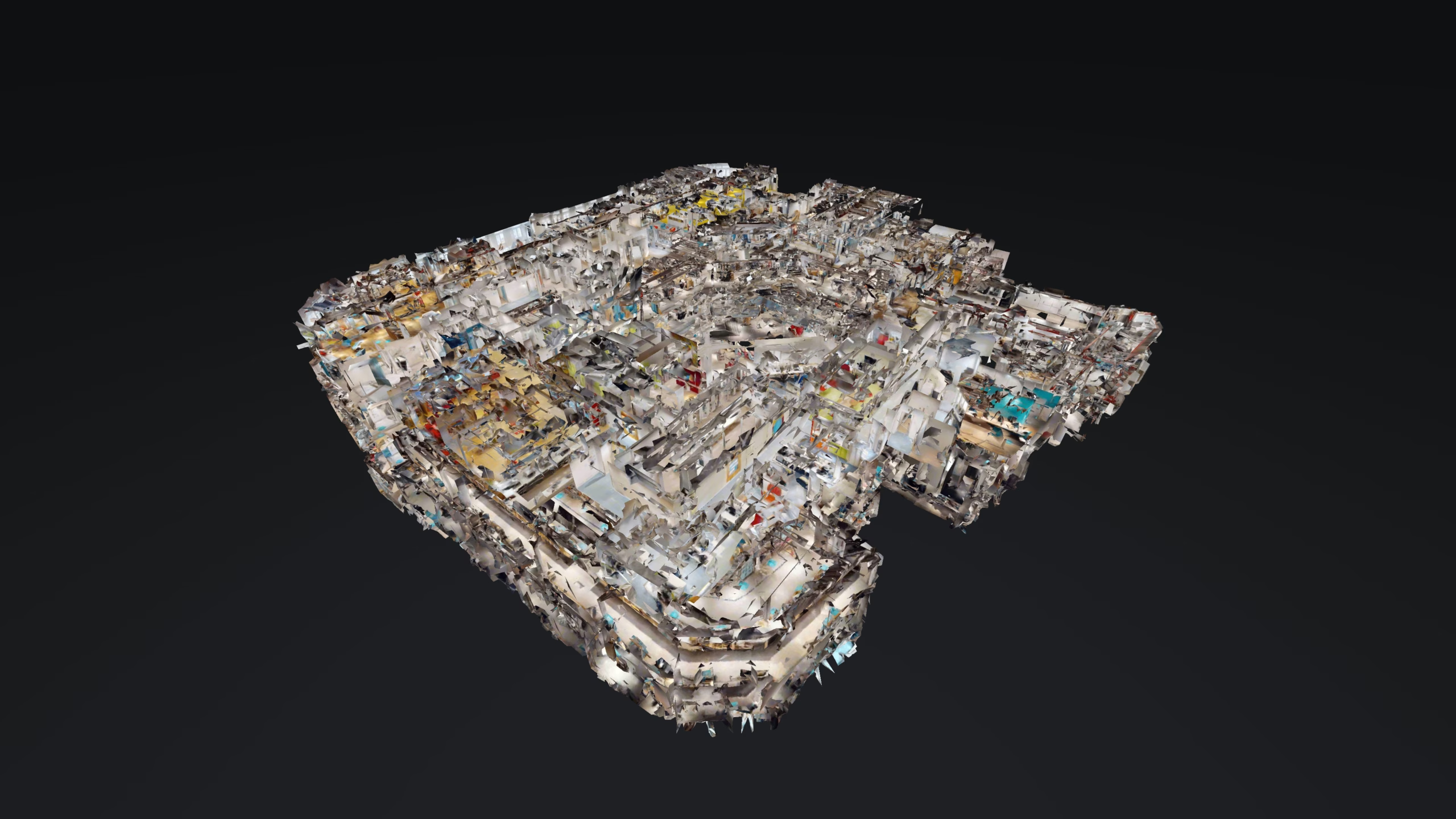
A digital twin for Facilities Management is a digital representation of a real building that combines visual and spatial information with operational building data. Facilities teams can remotely explore the property, locate assets, take measurements and access information such as maintenance records, manuals, inspection reports and compliance documents.
It creates a visual layer between the physical building and the information required to manage it.
A digital twin for Facilities Management is a digital representation of a physical building that helps teams see the space, locate assets and access information about how the building is maintained. It can combine a navigable 3D model with details such as equipment locations, manuals, service records and compliance documents.
Imagine a facilities manager responsible for ten sites. Instead of relying on a floor plan, a spreadsheet and someone’s memory, they can open a building’s digital twin, navigate to the plant room, find a tagged air handling unit and follow links to its documentation. A contractor can review the space before attending and arrive with a clearer understanding of the job.
The value depends on the information connected to the model and how well it is kept up to date. A 3D scan gives the team a visual record of the building. Adding asset tags and relevant documents makes that record more useful for day-to-day management. Live sensor data or a connection to maintenance software can add further capabilities, but they are not required for every facilities use case.
| Traditional building information | Digital twin |
|---|---|
| Floorplans | Navigable 3D environment |
| Individual photographs | Complete visual building record |
| Spreadsheets | Asset information connected to locations |
| PDFs in folders | Documents linked to relevant equipment |
| Site visit to understand a space | Remote building access |
| Knowledge held by individuals | Shared visual knowledge |

assets
manuals
compliance
maintenance
measurements
contractors
The digital twin connects information to the place it belongs.
Equipment type, manufacturer, model number, serial number and installation details.
Previous maintenance, service history and upcoming requirements.
Inspection reports, certificates and compliance documentation.
Operating instructions, technical manuals and product information.
Supporting visual information associated with a specific asset or location.
Useful spatial information about rooms, equipment and access.
Supplier details, maintenance providers and relevant contacts.
Connections to external databases, files or Facilities Management platforms.
The important difference is that this information can be associated with the relevant location or asset, rather than sitting separately in a filing system.
YES
For example:
Inside the digital twin, the asset could contain:
Building
Spreadsheet
Shared Drive
Contractor
Where is the asset? Which document is current? Which building does this relate to?
Building
Asset
Relevant information
Find the location. Select the asset. Access the information.
| Matterport Virtual Tour | Facilities Digital Twin |
|---|---|
| Primarily visual | Visual + operational information |
| Explore the building | Explore and manage building information |
| View rooms and spaces | Locate rooms, spaces and assets |
| Useful for marketing | Useful for operations and Facilities Management |
| May contain hotspots | Can contain detailed asset information |
| Usually visitor focused | Usually team, contractor or estate-focused |
A Matterport model can be the foundation of a digital twin. What changes is what information and functionality are added to it.
Look around a building without travelling to the property.
Identify where equipment is located within the physical environment.
Allow approved contractors to understand the site before attending.
Review equipment, access and surrounding conditions before work begins.
Give project teams a visual reference of existing conditions.
Provide teams with remote visibility across geographically dispersed buildings.
How can a digital twin reduce unnecessary site visits?
Yes. A digital twin can allow an authorised contractor to inspect relevant areas of a building before travelling to site.
Fault reported
contractor travels
assesses problem
identifies required part
returns later
Fault reported
contractor remotely reivies location
assesses information
identifies likely requirements
arrives better prepsred
It cannot remove every inspection or call-out, but it can reduce unnecessary information-gathering visits.
Apollo3D has digitally captured more than 350 Primark stores as part of major store infrastructure programmes.
Digital store models give project teams and contractors remote access to existing locations, helping reduce dependence on repeated physical surveys and improving visibility across a geographically dispersed estate.
Usually, no. A digital twin is better considered a visual layer that complements existing Facilities Management systems.

Digital twins become increasingly valuable for organisations managing:
The value generally increases as the number of buildings, contractors, projects and people requiring access to building information increases.
A digital representation of a real building.
Facilities Managers, contractors, designers, project teams and estate managers.
Assets, measurements, maintenance records, manuals, compliance information and other building documentation.
To make building information easier to access remotely and understand in context.
Usually no. It complements existing Facilities Management systems.
Apollo3D creates remotely accessible digital buildings that help Facilities Management teams see spaces, locate assets and access important building information from anywhere.
The value generally increases as the number of buildings, contractors, projects and people requiring access to building information increases.
A digital twin for Facilities Management is a digital representation of a physical building that allows teams to remotely explore the property and connect building information such as assets, measurements, maintenance records and compliance documents to relevant locations.
Yes. Maintenance and service information can be associated with specific assets or locations within a digital building, making the information easier to find and understand in context.
A Matterport model can provide the visual and spatial foundation of a digital twin. It becomes more useful for Facilities Management when operational information, assets, documents and other building data are added.
Usually not. A digital twin can complement CAFM, CMMS or IWMS software by providing visual and spatial context for the information those systems manage.
A building digital twin can contain asset information, equipment specifications, maintenance records, manuals, photographs, videos, inspection reports, compliance documents, measurements, contractor information and links to external systems.
Yes. Inspection reports, certificates and other compliance documentation can be linked to the relevant building, room or asset.
Yes. Authorised contractors can use a digital twin to understand relevant spaces, access routes and equipment before arriving on site, depending on the access provided by the organisation.
Yes. Digital twins from multiple buildings can be connected through a wider digital estate or interactive mapping environment.